
Road Trip Ryan Trip Guide
Road Trip Ryan, LLCTravel & Local
4.8129.00 Reviews
- Version
- 7.4.4
- Installs
- 10.00K
- Age Rating
- Everyone
Screenshots
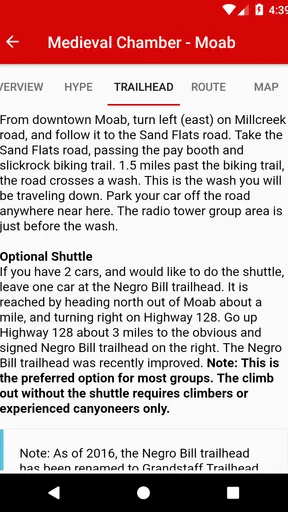
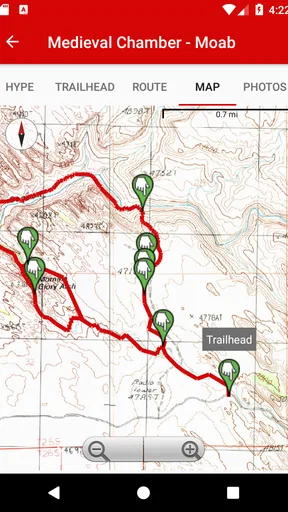
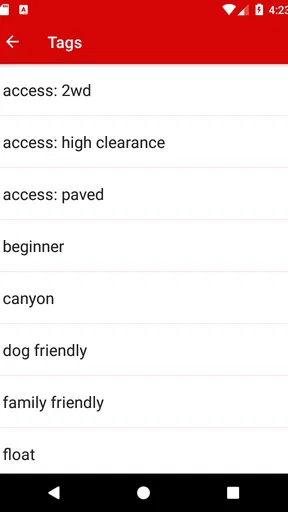
Our Review of Road Trip Ryan Trip Guide
 Analysis by Appyee
I approached Road Trip Ryan Trip Guide as a practical companion for planning a journey through Southern Utah rather than as another broad travel directory. That distinction matters. The app comes from Road Trip Ryan, LLC, and its focus is regional road-trip information, so it feels most relevant when you already have a destination area in mind and want help turning a loose idea into a more informed outing.
My first impression is that this is aimed at travelers who enjoy making decisions before they reach the trailhead, viewpoint, or scenic road. It is not trying to replace every travel tool on your phone. Instead, it gives Southern Utah and nearby road-trip planning a more specialized place in your travel workflow. If your trip is built around that part of the country, the narrow focus is a strength. If you only want a worldwide map, hotel search, or live traffic service, another app will probably serve you better.
Getting from installation to a useful trip plan
I start this section with a small, practical goal: get from installing the guide to a plan I could actually follow, without trying to solve the whole trip at once. I’d first decide what kind of day I want—scenic, activity-focused, or simply a manageable drive with a few worthwhile pauses—and use that as a filter while exploring. That makes the first planning session less about collecting places and more about choosing a route that suits me.
What to expect from the guide
The app is listed in the Travel & Local category and is free to install, with optional in-app purchases ranging from $6.99 to $9.99 per item. That makes it easy to try without committing money immediately, although you should expect that some of the deeper material may sit behind those optional purchases. I see this as a sensible arrangement for a specialized guide: you can decide whether the coverage fits your travel style before paying for additional content.
It is available for Everyone, and the current version is 7.4.4. The app has been around since February 9, 2015, which gives it a more established feel than a brand-new travel project. Its audience is also clear from its performance: it has passed 10K+ installs, with a 4.8 average from 250 ratings and 129 reviews. Those figures suggest that the people who find it useful tend to respond positively, but I would not interpret them as proof that it suits every kind of traveler.
The most important expectation to set is geographical. Southern Utah is not a minor detail here; it is the reason to choose this guide. A traveler planning a city break in New York, a European rail holiday, or a general family vacation will not get the same value from it. I would install it when my route involves the region’s roads, outdoor stops, scenic drives, or a collection of places that are easier to understand with local context.
That regional concentration also changes how I would use it. I would not open it expecting a single button that builds an entire holiday automatically. I would use it alongside a normal map, accommodation service, and perhaps a weather tool. The guide’s role is to improve the quality of my choices: which stops deserve time, how much research a route needs, and whether a tempting detour makes sense for the day I have available.
Setting it up without overthinking the trip
For a first session, I recommend resisting the urge to plan the whole vacation at once. Install the app, open it, and begin with one realistic day or one section of your route. That approach makes the guide easier to judge because you can quickly see whether its information matches the way you travel. A huge itinerary can hide useful details under too many possibilities.
I would start by writing down three things outside the app: where I expect to begin, where I need to finish, and how much time I can genuinely spend away from the main route. This small preparation prevents a common road-trip mistake—collecting interesting places without checking whether they belong in the same day. The app can inform the choices, but I still need to make the final schedule fit my driving tolerance and priorities.
When I first browse, I would look for information that answers practical questions rather than simply collecting names. Is this stop worth building a day around? Does it work as a short break between longer drives? Would it be better saved for a morning when I have more energy? Even when a guide contains appealing destinations, the useful part is how it helps me rank them.
A good setup habit is to create a short list of primary stops and backup stops. The primary list contains the places I most want to see. The backup list contains alternatives that can fill a gap if the first plan becomes inconvenient. This is especially useful for a road trip because plans often change after a late start, a tiring drive, or a decision to stay longer at an earlier viewpoint.
I would also keep the optional purchase model in mind during setup. Because the app is free but offers paid items, I would explore the free experience first and only unlock material after identifying a genuine need. The best reason to pay is not curiosity; it is having a specific trip where the extra guide content could improve planning. That keeps the purchase connected to a real decision instead of turning the app into a collection of unused travel material.
The first meaningful success: planning one day
My definition of a successful first action is simple: use the guide to produce a believable one-day outline. I would choose a small set of stops, arrange them in a sensible order, and then compare that outline with a conventional mapping app. The map is better for current routing and navigation. This guide is more useful for deciding what deserves a place on that route in the first place.
For example, imagine I am staying near the beginning of a Southern Utah driving loop and have one open day. I would use the guide to identify the main experience I want, then add only a couple of supporting stops. After that, I would check the driving sequence elsewhere and remove anything that creates a needless backtrack. The meaningful result is not a crowded list; it is a day that feels possible before I leave the accommodation.
This workflow reveals one of the app’s strongest qualities: it encourages destination-led planning instead of map-led wandering. A standard map can show many nearby points, but proximity alone does not tell me which ones fit my interests or deserve the time required to reach them. A specialized guide can narrow the field, while the map handles the final logistics.
I would save or note the chosen sequence in whatever way feels most reliable for me, then keep a second version with one stop removed. That spare version is a surprisingly useful road-trip tool. If the day starts late, the shorter plan remains realistic. If everything goes smoothly, I can add the extra stop without feeling that the entire itinerary has failed.
Another practical technique is to separate “must see” from “would be nice.” I would not treat every recommendation in the guide as an obligation. The app is most helpful when it expands my awareness without taking control of the trip. A strong plan leaves room for weather, fatigue, meals, and the unexpected moments that make a road trip feel less mechanical.
Where first-time users may feel confused
The most likely confusion is understanding the boundary between a specialist guide and a live navigation service. I would not rely on this app alone for turn-by-turn directions, current road conditions, traffic changes, or last-minute closures. A regional guide can help me decide where to go, while a mapping app is the safer choice for checking the route immediately before departure and during the drive.
A second point of friction is the difference between having information and having a finished itinerary. Reading about a destination does not automatically tell me how long the whole day will take. I still need to account for the distance between stops, meals, breaks, parking, and the time I personally want to spend at each place. The app can improve my research, but it cannot remove the judgment required to build a comfortable schedule.
The optional purchases may also create uncertainty for someone who expects every part of a free download to be included. I would treat the initial installation as an evaluation period. Browse enough to understand the app’s style, then decide whether the paid items solve a problem for my particular trip. If I am only passing through the region briefly, the free material may be enough for orientation. If I am returning for a more deliberate road trip, a paid item could be easier to justify.
Another mistake would be assuming that a high average rating guarantees a perfect experience for a different travel style. The 4.8 average is encouraging, but ratings usually reflect people who chose a specialized regional guide in the first place. Someone who prefers spontaneous driving with minimal planning may find the research process unnecessary. Someone who wants detailed preparation may appreciate exactly that focus.
I would also avoid confusing a guide’s recommendations with official confirmation of conditions on the ground. Before leaving, I would verify anything time-sensitive through current sources, especially when the trip depends on access, weather, or a narrow schedule. This is not a criticism unique to this app; it is simply the difference between travel reference material and live operational information.
How it compares with the usual travel alternatives
Compared with a general map application, Road Trip Ryan Trip Guide offers a more curated starting point for Southern Utah. A map gives me breadth, search, and navigation, but it can leave me with too many markers and too little context. I would use the guide when the hard question is “What should I consider?” and the map when the hard question becomes “How do I get there right now?”
Compared with a broad travel-planning service, this app’s advantage is specialization rather than scale. Large platforms are better for reservations, user-generated discovery across many countries, and combining flights, hotels, restaurants, and transport. This guide makes more sense when the trip is primarily a road journey and the region itself is the central subject.
Compared with relying on blogs or scattered web searches, the app has the potential to make research less fragmented. I would rather begin with a focused regional resource than open many unrelated pages and try to remember which details belong to which stop. The trade-off is that a single guide may not cover every personal concern equally well, so I would still use other sources for live updates, bookings, and final route checks.
Its best place in my phone is therefore between inspiration and navigation. I would open it during the planning stage, use a map to test the route, and return to the guide when I need to reconsider the order or importance of stops. That division of labor avoids expecting one app to perform every travel task.
Who will get the most from it
I think this app is a strong match for a first-time visitor who feels overwhelmed by the number of possible Southern Utah stops. It gives that traveler a focused starting point and a way to turn curiosity into a manageable plan. It also suits repeat visitors who want to explore beyond the places they already know, especially if they prefer a road trip with intentional detours rather than a fixed tour.
It can be useful for couples or families who need to negotiate priorities. One person may care about scenic drives, another about short stops, and another about avoiding an exhausting schedule. I would use the guide to build a shared shortlist, then use the map and calendar to test which combination is realistic. That makes the planning conversation more concrete than simply saying that everyone wants to “see the area.”
Independent travelers may appreciate the control. The app does not need to dictate a rigid holiday; I can use it as a reference and discard anything that does not fit. That flexibility is valuable when I want guidance without surrendering the spontaneous character of a road trip.
On the other hand, I would skip it if my travel plans do not involve Southern Utah or the surrounding road-trip focus. I would also choose a different primary tool if my main need is hotel booking, restaurant delivery, public transit, international navigation, or live traffic. The app’s narrow purpose is a reason to install it, but also the clearest reason not to.
My practical next step before leaving
After creating a first one-day outline, I would expand it into a trip framework rather than a minute-by-minute schedule. I would mark the days that need the most driving, place the highest-priority stops where I am least likely to feel rushed, and leave flexible space around them. Then I would check each day with a normal map and adjust the order until the route stops looking like a series of unnecessary zigzags.
I would also prepare an offline-friendly backup in a simple note or screenshot, particularly for the essential parts of the plan. I would not assume that a travel guide or any other app will always be convenient at the exact moment I need it. The backup should include the day’s main destination, the planned sequence, and the alternative stop I can use if the original plan changes.
Before departure, I would revisit the plan rather than treating the first version as final. A road trip improves when I remove one questionable stop, not when I keep adding more. The guide is valuable here because it gives me enough regional knowledge to make that cut intelligently. I can choose the experience that matters most instead of simply following the longest list.
Overall, I found Road Trip Ryan Trip Guide most convincing as a focused research companion for Southern Utah. Its free entry point, mature version history, and strong average rating make it easy to try, while the optional purchases mean I can decide how deeply I want to use it. I would recommend it to a traveler who wants a better-informed route and understands that a specialist guide works alongside, rather than replaces, maps and current travel checks.
My recommendation is straightforward: install it before a Southern Utah road trip, begin with one realistic day, and judge it by whether that day becomes clearer and more achievable. If it helps you choose fewer, better-fitting stops, it has done its job. If you need a universal travel platform or live navigation first, keep it as a supporting tool—or choose an alternative built around those needs instead.
Verdict
Strengths of Road Trip Ryan Trip Guide
- Detailed destination tips help travelers plan stops with confidence.
- Useful route suggestions make long road trips easier to organize.
- Local insights add context beyond standard tourist information.
- Content is practical for travelers who prefer self-guided exploration.
- Can help identify scenic areas and worthwhile roadside attractions.
Limitations of Road Trip Ryan Trip Guide
- Coverage may be limited outside the destinations featured in the guide.
- Some recommendations could become outdated as businesses and roads change.
- The app may be less useful for travelers seeking live navigation.
- Limited personalization may not suit highly customized itineraries.
- Extra map or travel apps may still be needed for complete trip planning.
Similar Picks in This Category
View All
Google Maps
Google LLC3.4

Google Maps Go
Google LLC4.1

Booking.com: Hotels & Travel
Booking.com Hotels & Vacation Rentals4.8

Google Earth
Google LLC3.8

Skyscanner Flights Hotels Cars
Skyscanner Ltd4.8

trivago: Compare hotel prices
trivago N.V.4.4
Frequently Asked Questions
What is Road Trip Ryan Trip Guide?
Road Trip Ryan Trip Guide is a travel-planning app designed to help users explore road-trip routes, attractions, viewpoints, parks, historical locations, and other points of interest. It is particularly useful for travelers who want more than basic turn-by-turn navigation, offering destination ideas and route inspiration so they can organize stops and discover places that may not appear in standard map applications.
Does Road Trip Ryan Trip Guide work offline?
Offline availability may depend on the specific guide, map area, and app version, so users should check the listing and in-app download options before starting a trip. Even when some guide content is available without a connection, live traffic, updated road conditions, online maps, and certain links may require mobile data or Wi-Fi. Downloading relevant information in advance is recommended.
Can I use the app for planning a complete road trip?
The app can be helpful for researching and organizing a road trip by presenting destinations, attractions, and suggested places to visit along a route. However, it should be viewed as a trip guide rather than a complete replacement for a dedicated navigation service. Before leaving, confirm distances, opening hours, fuel stops, accommodation, weather, and road restrictions using current sources.
Is Road Trip Ryan Trip Guide suitable for families and outdoor travelers?
It may be a useful companion for families, tourists, and outdoor travelers because road-trip guides often highlight scenic locations, recreational areas, landmarks, and stops that make long drives more enjoyable. Suitability depends on the particular route and attraction. Parents and travelers should independently verify accessibility, restroom availability, safety conditions, seasonal closures, and whether activities are appropriate for children.
Is Road Trip Ryan Trip Guide free to download and use?
The app’s download price, included content, optional purchases, and subscription conditions can vary by platform and may change over time. Before installing, review the current Google Play or App Store listing for pricing, supported devices, permissions, and in-app purchase details. Also check whether all destinations are included or whether additional regional guides or premium features must be purchased separately.
